

The following article is a condensed version of the user guide. You can learn about more features under the Plugin Interface Overview.
Overview
Courtney LaPlante has redefined the modern vocalist, moving effortlessly between delicate melodies, towering cleans, and uncompromising screams. As the voice of Spiritbox, she combines performance and production in an instantly recognizable blend of atmosphere, texture, and intensity.
Developed alongside Courtney, this modular vocal suite brings the core tools behind her approach into one flexible signal chain. From expansive ambience and cascading delays to dynamic control to harmonic saturation, every module is designed to work together as a flexible signal chain that adapts to your own creative process.
Artist Presets
The plugin includes artist presets from , and . The presets can be accessed through the plugin preset menu.
Global Plugin Features
The top section of every MixWave plugin interface includes a range of global plugin features, detailed in the Mixing Plugin Global Features article.

Input & Output Filters
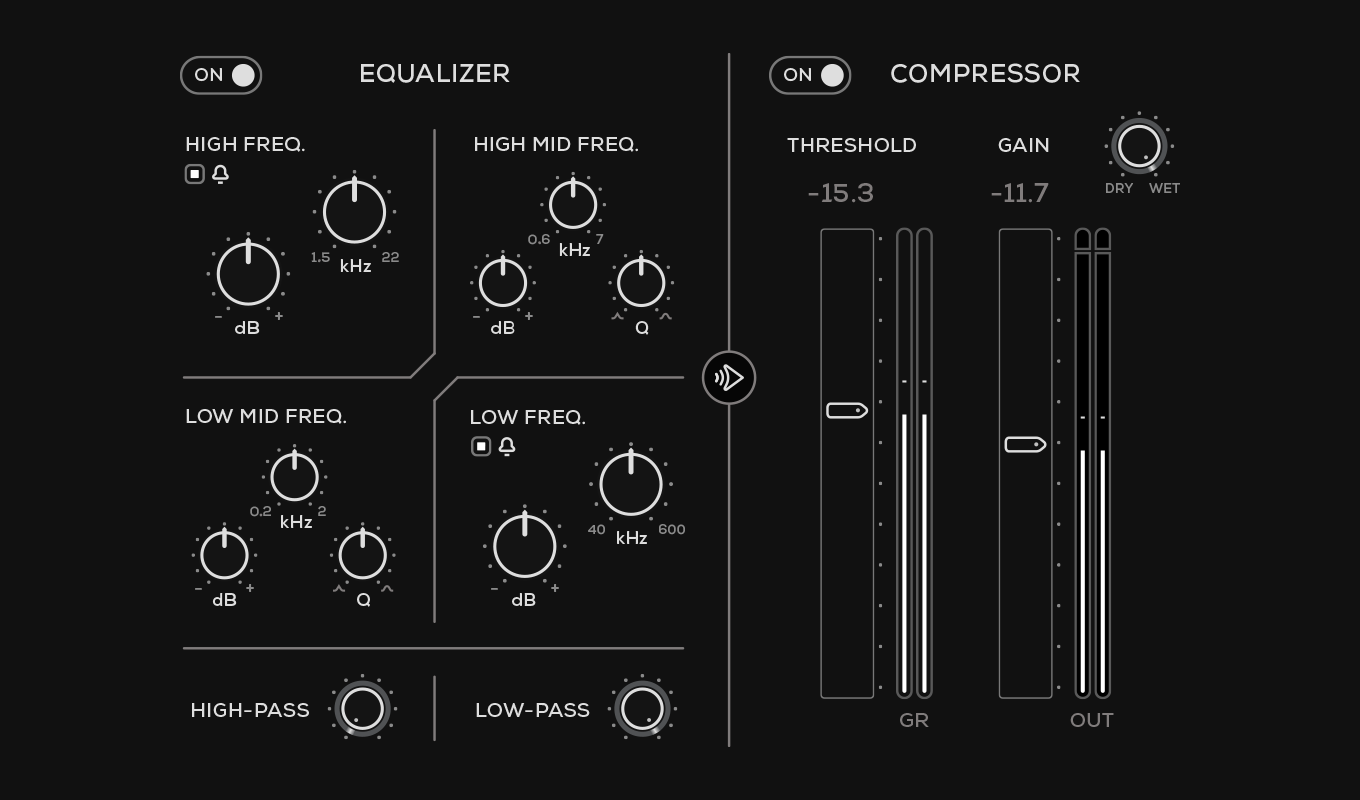
Identical processing sections are available at the input and output of the plugin. Each section includes a four-band equalizer, high-pass and low-pass filters, and a compressor.
Use the input section to shape and control the signal before it reaches the main processing modules. Use the output section to refine the tone and dynamics after the signal passes through the module chain. The equalizer and compressor can be independently enabled or bypassed, and their processing order can be reversed.
Equalizer
The four-band equalizer provides High, High Mid, Low Mid, and Low frequency bands.
The High and Low bands include adjustable frequency and gain controls and can be switched between bell and shelving filter shapes. The High Mid and Low Mid bands provide frequency, gain, and Q controls for more precise tonal shaping.
High-Pass
Sets the cutoff frequency below which low-frequency content is reduced.
Low-Pass
Sets the cutoff frequency above which high-frequency content is reduced.
Compressor
Controls the dynamics of the signal before or after equalization.
Threshold: Sets the signal level at which compression begins.
Gain: Adjusts the compressor’s output level.
Dry/Wet: Blends the compressed signal with the unprocessed signal.
GR Meter: Displays the amount of gain reduction being applied.
Output Meter: Displays the compressor’s output level.
Processing Order
Use the arrow button between the Equalizer and Compressor sections to reverse their order in the signal path.
Latency Mode
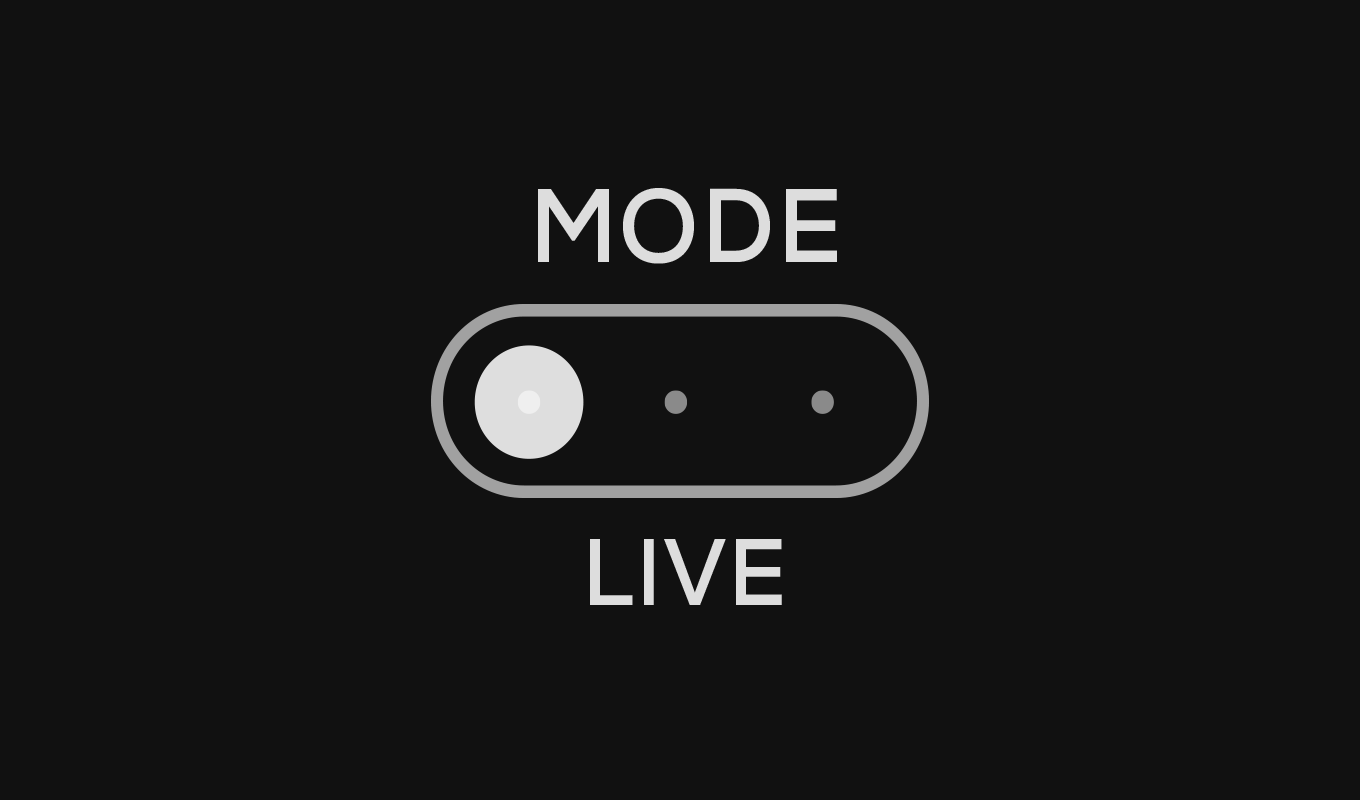
Latency Modes control the plugin’s internal processing quality and latency for the Pitch section, allowing you to balance responsiveness and CPU usage depending on your workflow.
Live
Low-latency mode designed for recording and real-time monitoring (~11ms).
Normal
Standard processing with moderate latency (~24 ms).
Mix
Highest audio quality with increased latency and CPU usage (~45 ms).
Use Live mode when tracking vocals. For mixing and sound design, Mix mode provides the highest processing quality.
Operational Overview
Audio flows through the modules from left to right. Each module can be independently bypassed or moved to a different position in the signal chain, allowing the processing order to be tailored to the source and desired result. Because each module feeds the next, changing their order can significantly affect the final sound.
Spiritbox - Courtney LaPlante
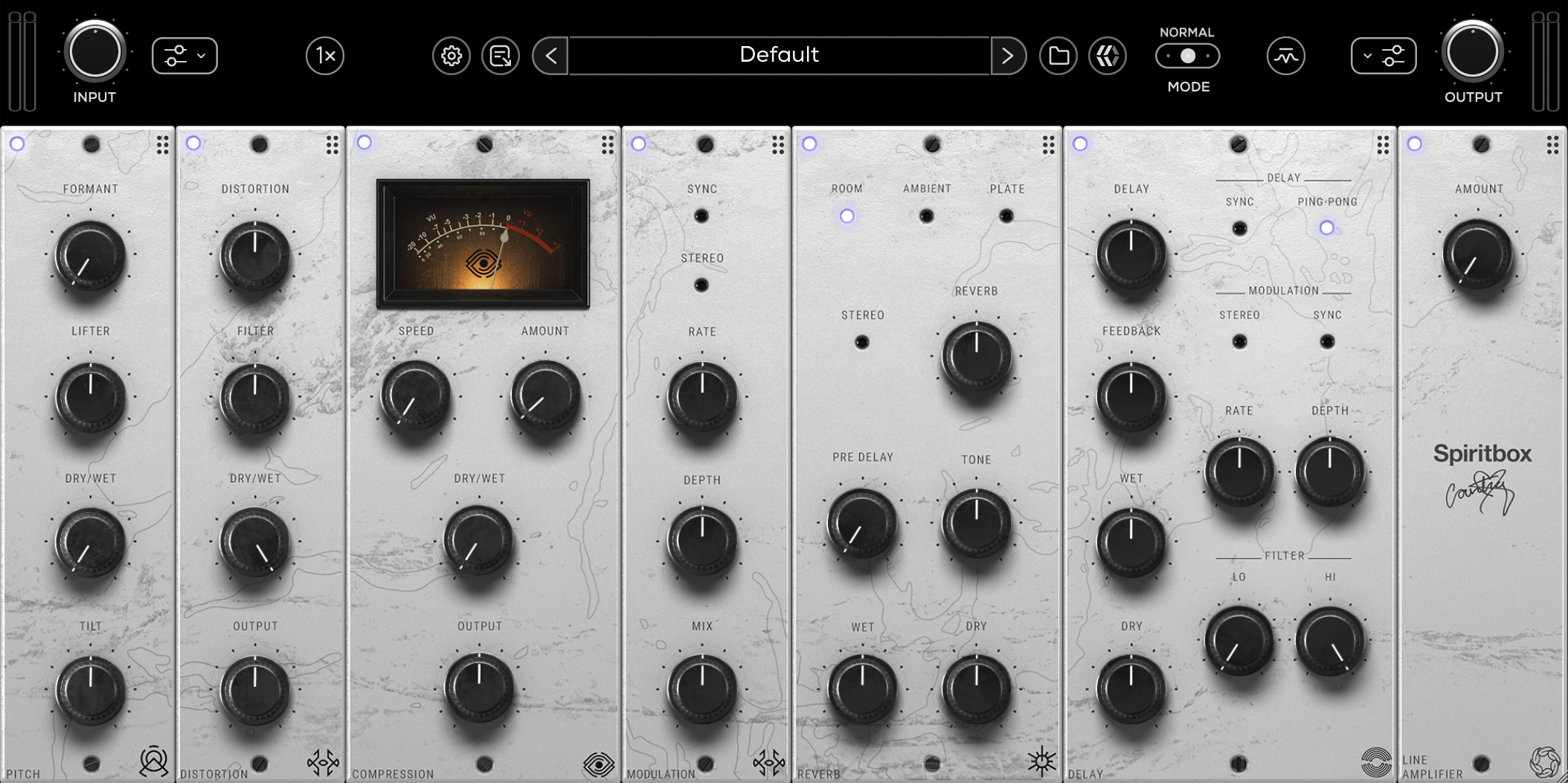
The main portion of the interface is divided into seven control groups, arranged from left to right. Each group corresponds to a module in the signal chain.
The button in the upper-left corner of each module engages or bypasses that module. Click and drag the top bar of a module to move it to a different position in the signal chain.
Pitch
The Pitch section uses formant-based processing and tonal shaping to change the perceived character of a vocal without altering its musical pitch.
Formant
Shifts the vocal formants, changing the perceived size or character of the voice without changing its musical pitch.
Lifter
Shapes the detected formant content by following the signal’s spectral envelope, allowing the vocal character to be emphasized or smoothed.
Dry/Wet
Blends the processed signal with the original signal.
Tilt
Adjusts the overall tonal balance by boosting high frequencies while attenuating low frequencies, or vice versa.
Distortion
The Distortion section introduces harmonic saturation and distortion, helping vocals cut through dense mixes or take on more aggressive textures.
Distortion
Controls the amount of distortion applied to the signal.
Filter
Sets the cutoff frequency of a low-pass filter used to tame high-frequency content generated by the distortion stage.
Dry/Wet
Blends the distorted signal with the original signal.
Output
Controls the output level of the Distortion module before the signal enters the next module in the chain.
Compression
The Compression section provides dynamic control, helping vocals remain consistent and controlled after tonal or harmonic processing.
Speed
Controls how quickly the compressor responds to the incoming signal. Turn the control fully clockwise for the fastest response.
Amount
Controls the overall intensity of the compression.
Dry/Wet
Blends the compressed signal with the unprocessed signal.
Output
Controls the output level of the Compression module.
Modulation
The Modulation section adds movement, stereo width, and evolving texture to the vocal.
Sync
Synchronizes the modulation rate to the host tempo.
Stereo
Enables stereo modulation for a wider effect.
Rate
Controls the speed of the modulation. When Sync is enabled, the available values follow rhythmic divisions of the host tempo.
Depth
Controls the intensity of the modulation.
Mix
Sets the balance between the modulated signal and the unprocessed signal.
Reverb
The Reverb section includes Room, Ambient, and Plate algorithms that range from natural depth to towering ambience, creating spaces that feel integrated with the performance.
Reverb Type
Selects one of three reverb algorithms using the Room, Ambient, and Plate buttons.
Room: Produces a natural, room-style ambience suitable for adding depth and dimension.
Ambient: Produces a larger, more spacious reverb suited to atmospheric vocal effects.
Plate: Produces a dense, smooth reverb with a polished decay.
Stereo
Enables stereo processing for the reverb.
Reverb
Controls the length of the reverb decay.
Pre Delay
Sets the time between the original signal and the beginning of the reverb.
Tone
Adjusts the tonal balance of the reverb from darker to brighter.
Wet
Controls the level of the processed reverb signal.
Dry
Controls the level of the unprocessed signal.
Delay
The Delay section creates rhythmic echoes, stereo movement, and evolving ambience. Integrated modulation and filtering controls allow the repeats to range from clean and focused to wide, softened, and atmospheric.
Sync
Synchronizes the delay time to the host tempo.
Ping-Pong
Alternates the delay repeats between the left and right channels.
Delay
Sets the time between delay repeats. When Sync is enabled, the available values follow rhythmic divisions of the host tempo.
Feedback
Controls how much of the delayed signal is fed back into the effect, determining the number and duration of the repeats.
Wet
Controls the level of the delayed signal.
Dry
Controls the level of the unprocessed signal.
Stereo
Enables stereo processing for the delay.
Sync (Modulation)
Synchronizes the delay modulation rate to the host tempo.
Rate
Controls the speed of the delay modulation.
Depth
Controls the intensity of the delay modulation.
Low Pass
Sets the cutoff frequency above which high-frequency content is reduced in the delayed signal.
High Pass
Sets the cutoff frequency below which low-frequency content is reduced in the delayed signal.
Line Amplifier
The Line Amplifier adds analog-style saturation and harmonic coloration to the signal. Use it subtly to add density and warmth, or increase the setting for a more pronounced tonal effect.
Amount
Controls the amount of saturation and harmonic coloration applied to the signal.