

The following article is a condensed version of the user guide. You can learn about more features under the Plugin Interface Overview.
Overview
It's a deceptively simple device on paper. In reality, it accomplishes what people reach to a compressor for; it enhances the good parts of a signal, while de-emphasizing the unwanted bits. It's basically a magic button that makes things sound more musical.
Benson Germanium Boost is also included as part of the Benson Monarch Collection and Benson Chimera Collection.
Global Plugin Features
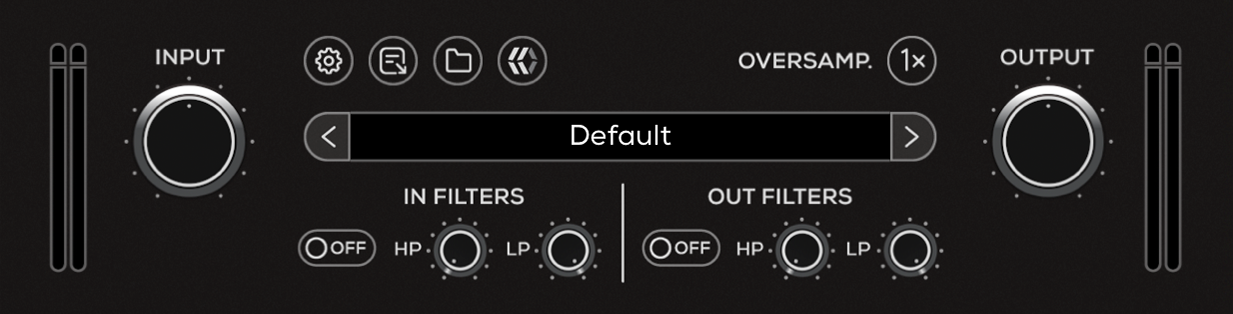
The top section of the plugin includes global controls such as:
Input Gain
Input Filters
Settings
About
Oversample
Preset Browser
Output Filters
Output Gain
Benson Germanium Boost Controls
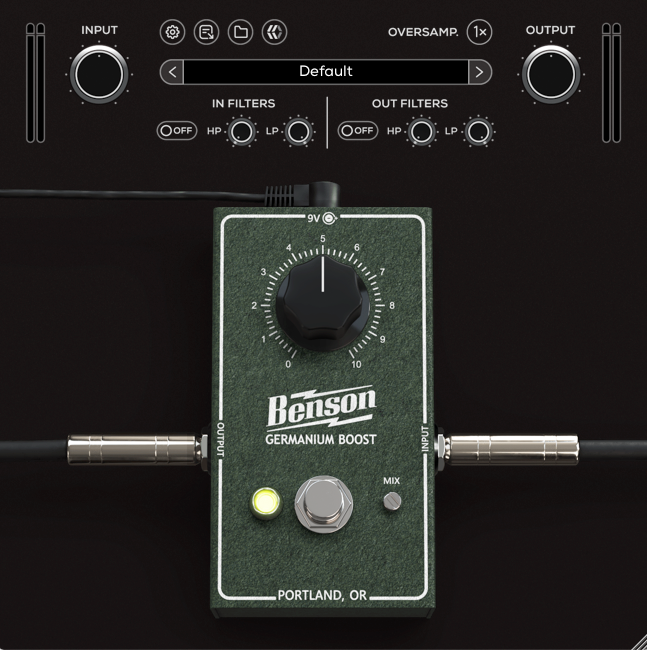
Boost
Adjusts the boost level.
Bypass
Engages or disengages the Boost.
Mix
Controls the level of blend between the “dry” (clean) input signal and the “wet” (processed) signal.