

The following article is a condensed version of the user guide. You can learn about more features under the Plugin Interface Overview.
Overview
While being the first pedal to incorporate Automatic Thermal Bias to combat the temperature sensitivity of Germanium transistors, it was designed to be a rich sounding clean boost, overdrive, or a gripping wall of fuzz.
Benson Germanium Fuzz is also included as part of the Benson Monarch Collection and Benson Chimera Collection.
Global Plugin Features
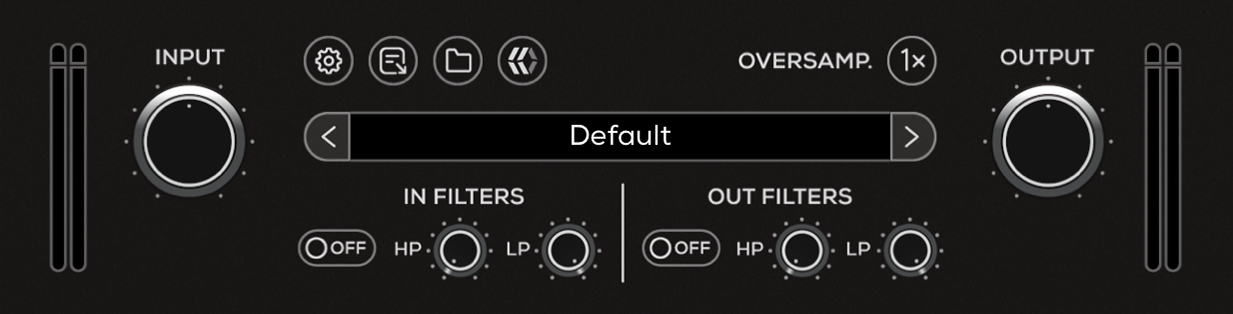
The top section of the plugin includes global controls such as:
Input Gain
Input Filters
Settings
About
Oversample
Preset Browser
Output Filters
Output Gain
Benson Germanium Fuzz Controls
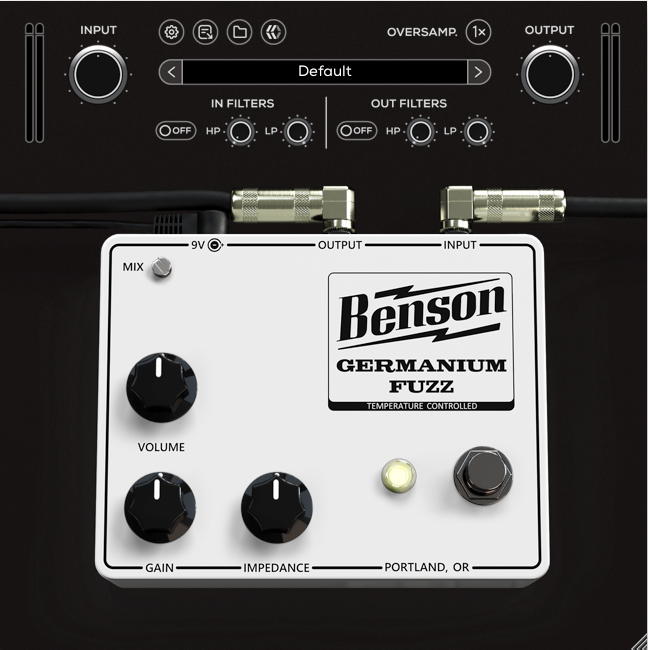
Mix
Controls the level of blend between the “dry” (clean) input signal and the “wet” (processed) signal.
Volume
Adjusts the output level of the pedal.
Gain
Sets the input gain and the amount of distortion.
Impedance
Emulates the effect of rolling down the guitar volume to get that tight sparkly sound without adjusting your guitar volume.
Bypass
Engages or disengages the Germanium Fuzz.