

The following article is a condensed version of the user guide. You can learn about more features under the Plugin Interface Overview.
Overview
The Monarch was Benson’s first design, developed through years of studying and rebuilding amplifiers to understand how circuits shape tone, harmonics, and response. After countless iterations, everything fell into place, becoming the foundation for all that followed.
Global Plugin Features
The top section of every MixWave plugin interface includes a range of global plugin features, detailed in the Amp Plugin Global Features article. Additionally, it features a preset browser, which is explained in the Plugin Presets and Locations article.
The following pedals and effects are also available as separate plugins, that includes a slightly different global interface. To learn more about their shared global controls, see the Pedal Plugin Global Features article.
Delay
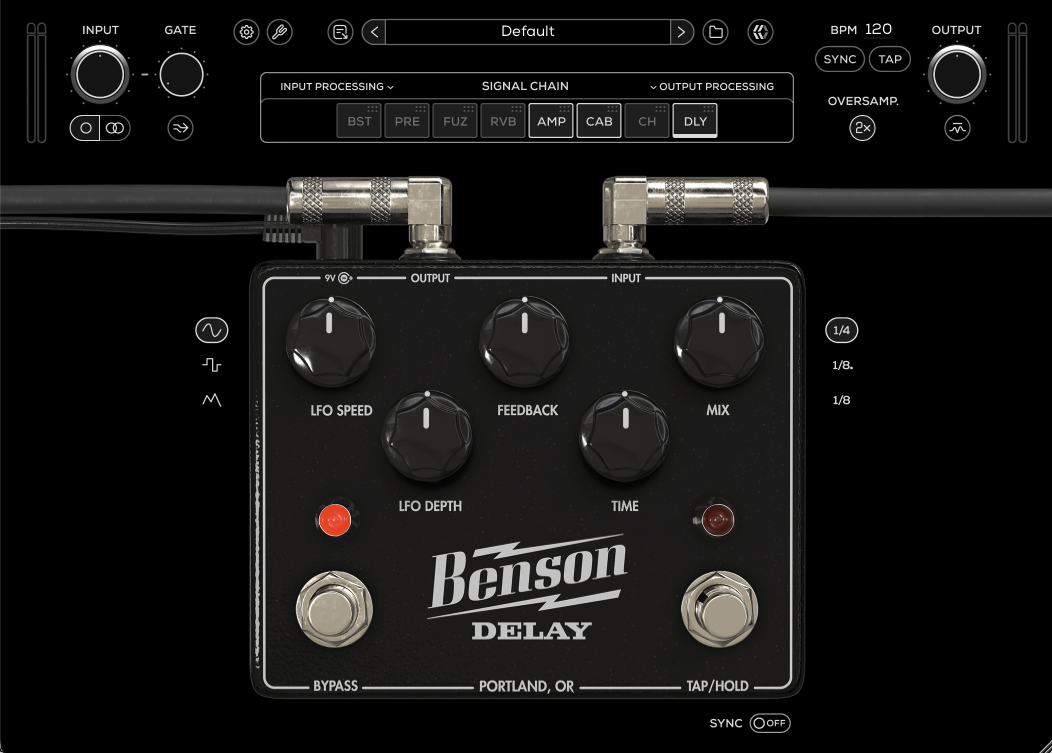
LFO Speed
Controls the rate of modulation applied to the delay time. Slower speeds create gentle movement, while faster speeds introduce more pronounced pitch modulation.
LFO Depth
Controls the intensity of the modulation. Lower values add subtle movement, while higher values introduce more noticeable pitch variation and instability.
Feedback
Controls how much of the delayed signal is fed back into the delay line. Lower settings produce a single repeat, while higher settings increase the number of repeats and can lead to self-oscillation.
Time
Sets the delay time interval between repeats from 30ms to 1250ms. Lower values produce tight slapback echoes, while higher values create longer, more spacious delays.
Mix
Blends the dry (clean) signal with the delayed (processed) signal.
Bypass
Engages or disengages the Delay pedal circuit.
Tap / Hold
Manually set the speed of the delay by clicking the Tap tempo button.
LFO Wave
Selects the shape of the modulation waveform.
Sine: Smooth, natural modulation
Square: Stepped, rhythmic modulation
Random: Irregular, unpredictable modulation for more experimental textures
Ratio
Sets the rhythmic division of the delay time relative to tempo.
Quarter: Standard tempo-based delay
Dotted Eighth: Rhythmic, syncopated delay feel
Eighth: Faster repeating delay pattern
Sync
Synchronizes delay time and/or modulation rate to the host DAW tempo. When enabled, timing-based controls follow the session BPM instead of free-running.
Florist
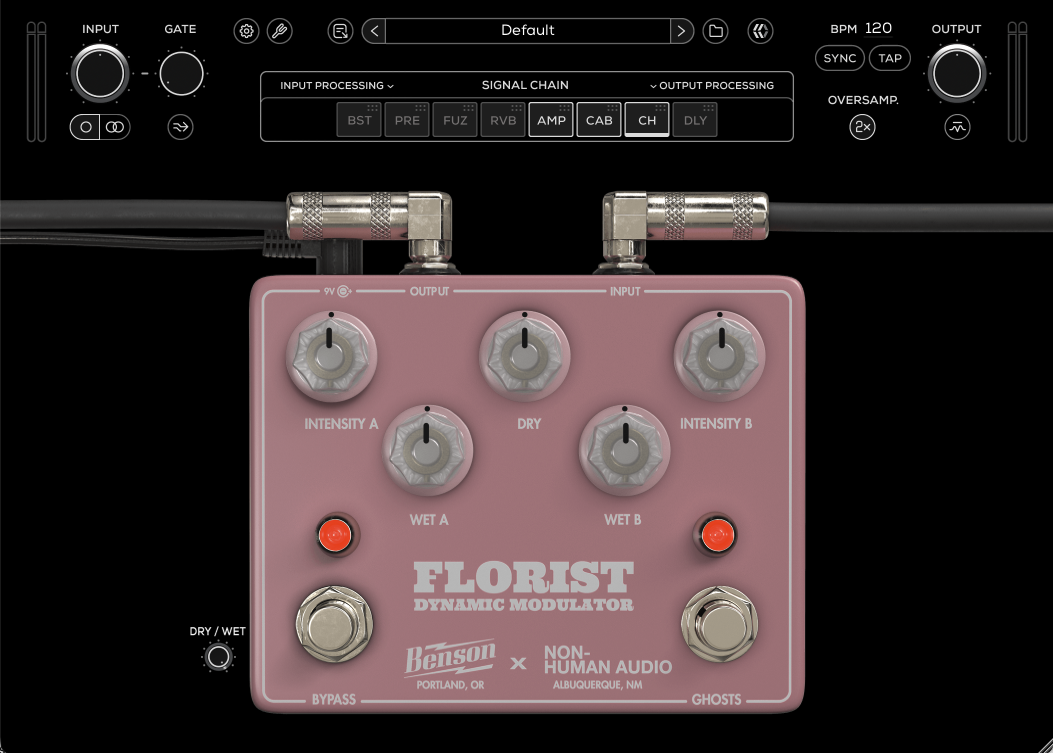
Intensity A
Adjusts the intensity of modulation for the first delay line.
Wet A
Adjusts the wet (processed) volume of the first delay line.
Dry
Adjusts the volume of the dry (clean) signal.
Wet B
Adjusts the wet (processed) volume of the second delay line.
Intensity B
Adjusts the intensity of modulation for the second delay line.
Bypass
Engages or disengages the Florist.
GHOSTS
Activates a feedback loop on the verge of feedback for each delay line.
Dry / Wet
Controls the level of blend between the dry (clean) input signal and the wet (processed) signal.
Germanium Boost
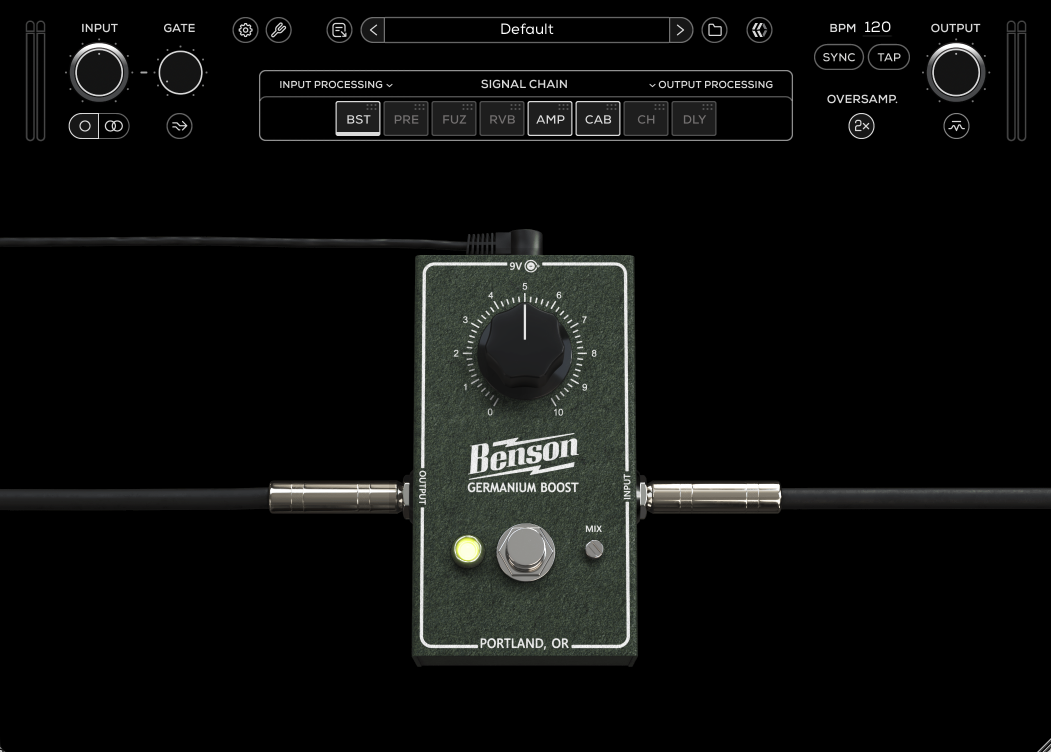
Boost
Adjusts the boost level.
Bypass
Engages or disengages the Boost.
Mix
Controls the level of blend between the “dry” (clean) input signal and the “wet” (processed) signal.
Germanium Fuzz
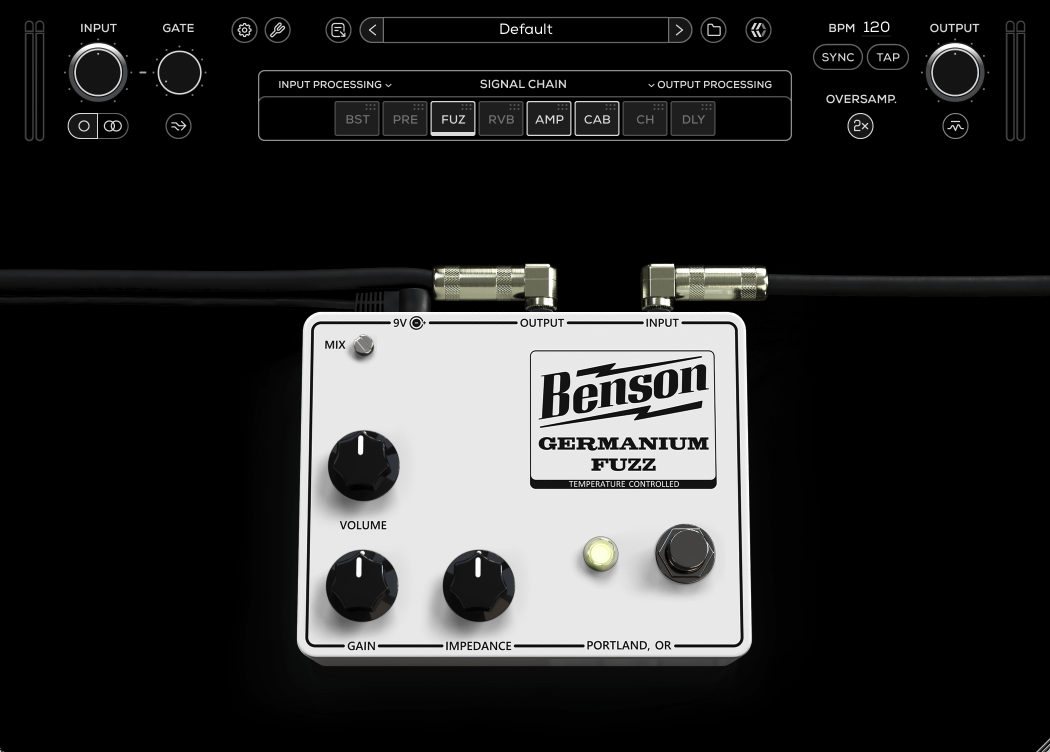
Mix
Controls the level of blend between the “dry” (clean) input signal and the “wet” (processed) signal.
Volume
Adjusts the output level of the pedal.
Gain
Sets the input gain and the amount of distortion.
Impedance
Emulates the effect of rolling down the guitar volume to get that tight sparkly sound without adjusting your guitar volume.
Bypass
Engages or disengages the Germanium Fuzz.
Preamp
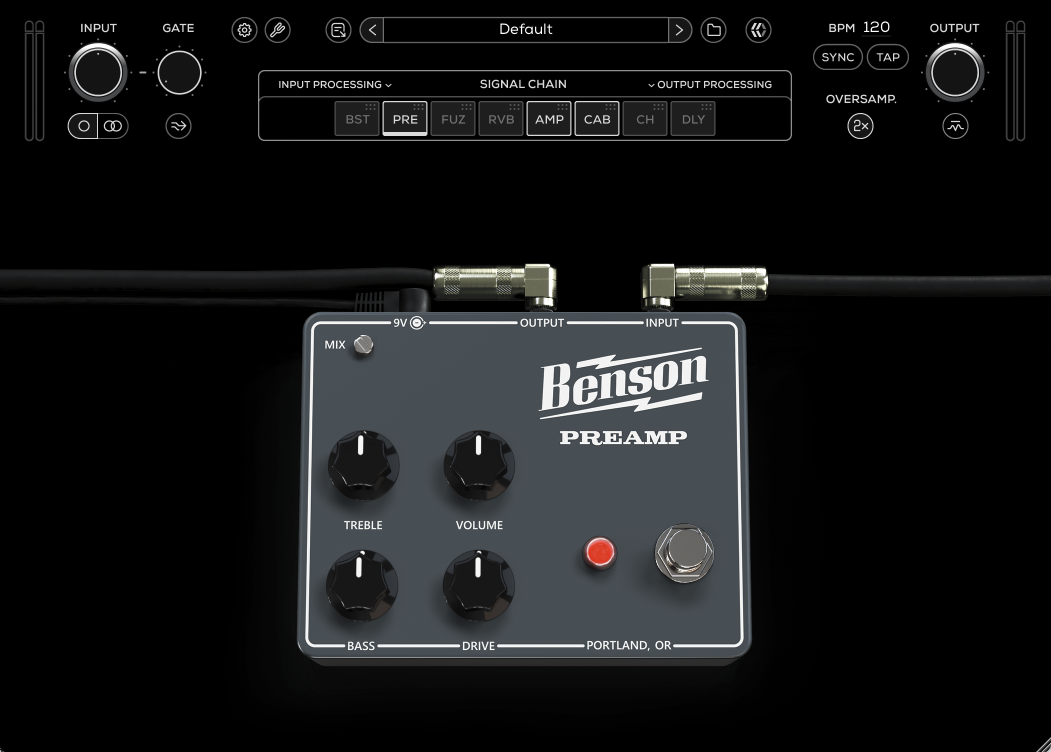
Mix
Controls the level of blend between the “dry” (clean) input signal and the “wet” (processed) signal.
Treble
Adjusts the high frequency tone.
Bass
Adjusts the low frequency tone.
Volume
Adjusts the output level of the pedal.
Drive
Adjusts the amount of overdrive.
Bypass
Engages or disengages the Preamp.
Tall Bird
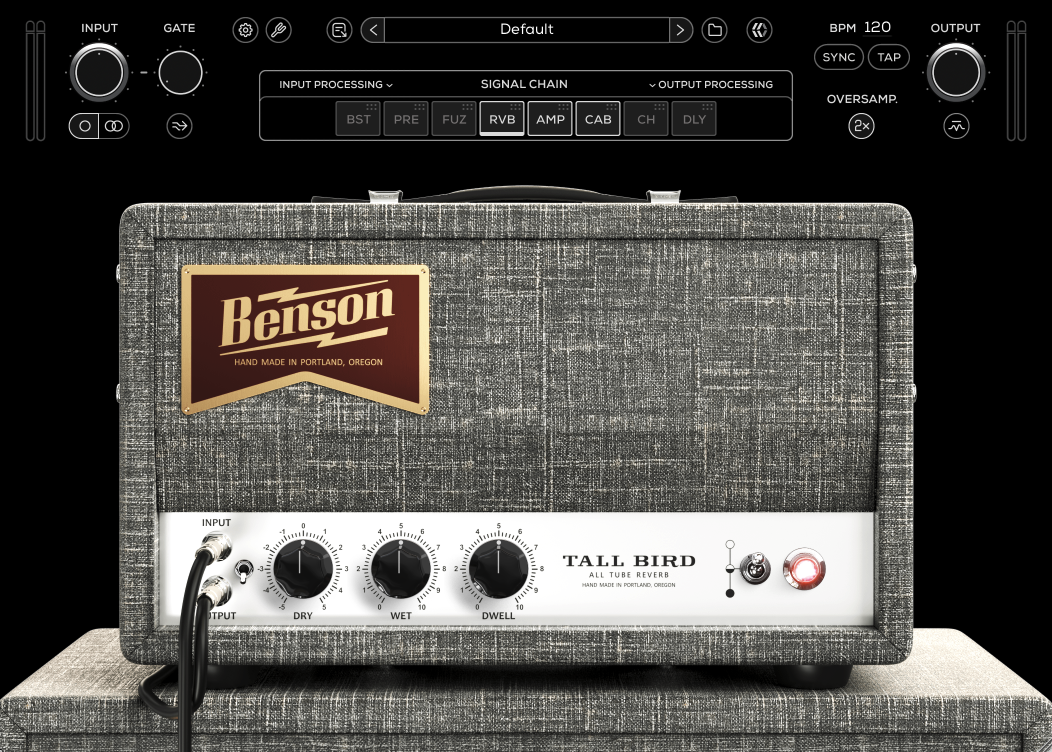
Dry Bypass
Engages and disengages the dry signal.
Dry
Controls the level of the dry signal.
Wet
Controls the level of reverb/wet signal.
Dwell
Adjusts the input level of the reverb.
Bypass
Engages or disengages the Tall Bird.
By default, the Benson Tall Bird is placed before the amp and cab modules in the Signal Chain resulting with a mono reverb. To use the Tall Bird component in stereo, drag and drop the RVB module to the last position in the Signal Chain. Also, make sure that the Mono/Stereo button is switched to “Stereo” in the top Utility Controls section.
Benson Monarch
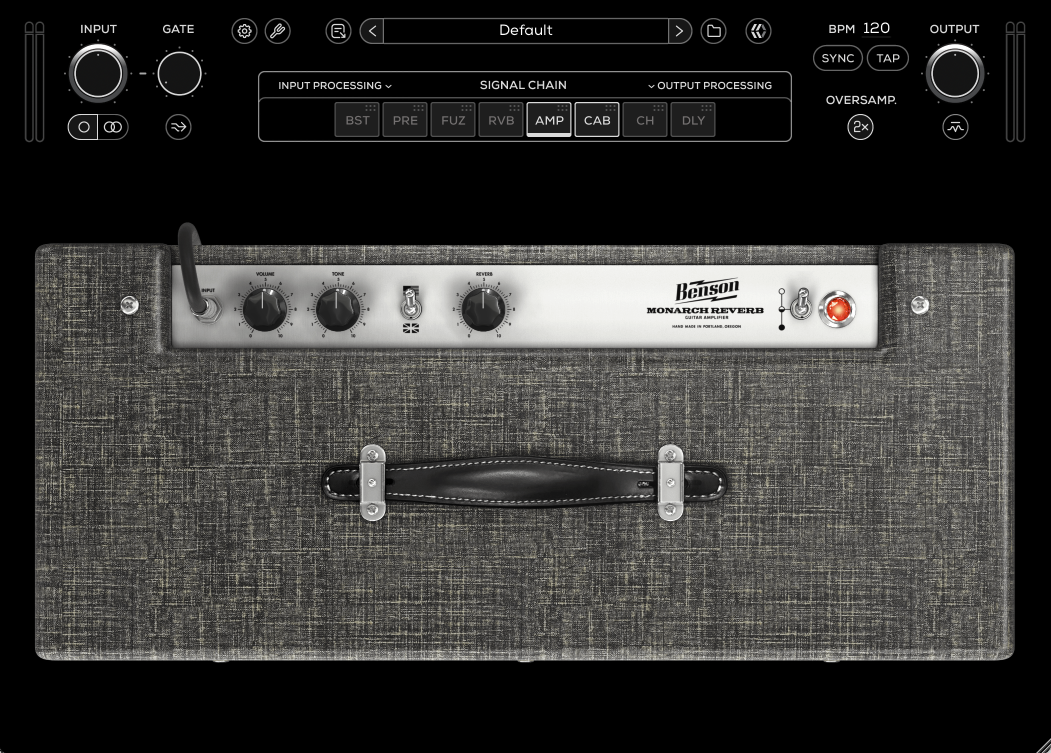
Volume
Controls the overall gain of the amplifier, driving the transition from clean to overdriven tones.
Tone
Shapes the overall frequency response of the amplifier.
Amp Mode
Selects between two distinct tone circuit responses.
American: More extended low end with a scooped midrange and brighter top end.
British: Reduced lows, more focused mids, and a smoother high-frequency response.
Both modes use the same Tone control, offering two contrasting tonal characters rather than separate amp channels.
Reverb
Controls the amount of built-in spring reverb.
Bypass
Turns the amplifier on or off.
Speakers & Cabinets
The cab module features a 1×12 dovetailed pine cabinet, accompanied by 19 virtual microphones.
The speaker and cabinet section of every MixWave amp plugin interface includes a range of features, outlined in the Amp Plugin Speakers & Cabinets article.
Microphones
Dynamic 57 – Punchy mids with a tight low end, a classic choice for aggressive guitar tones.
Dynamic 7B – Smooth and warm with a natural midrange, great for taming harshness.
Dynamic 409 – Fat and forward with a bit of bite, excels on crunchy and high-gain tones.
Dynamic 421 – Thick low-mids with a smooth top end, great for adding weight to your tone.
Dynamic 441 – Focused and detailed with tight lows and clear highs, great for controlled, articulate tones.
Dynamic R20 – Deep and warm with a tight low-end and reduced proximity effect, great for fuller tones.
Tube 84 – Balanced and natural with a smooth top end, great for capturing clarity without harshness.
Tube 47 – Rich and full-bodied with a slight vintage warmth, great for adding depth.
Tube 251 – Open and airy with a polished high end, adds clarity to darker tones.
Condenser Fet 47 – Solid low-end punch with a clear top-end bite, great for aggressive tones.
Condenser 32 – Bright and detailed with a fast transient response, captures every nuance.
Condenser 4011 – Neutral and natural with extended highs, perfect for a true-to-life cab sound.
Condenser 2011 – Slightly forward mids with a clear and controlled top end.
Condenser 4099 – Detailed and focused, ideal for capturing articulation and harmonics.
Condenser 450 – Side-address condenser with a tight, present midrange, great for edge-of-cone positioning.
Ribbon 122 – Warm and smooth with extended highs, retains the natural body of the cab.
Ribbon 42Bn – Dark and vintage, smooths out high-end fizz while keeping a natural presence.
Ribbon 84 – Classic ribbon warmth with a rich low-mid response and silky highs.
Copper – Lo-fi, midrange-focused with a unique honky character, great for creative textures.
Speakers
Benson Custom Ceramic