

This article explains how to move a MixWave library to another location on your computer or external hard drive.
Ensure that your DAW, Kontakt, and Native Access are all properly closed.
Locate your library, select the main folder of the library directory (ie: Gojira - Mario Duplantier) and move it into a new directory on an external drive.
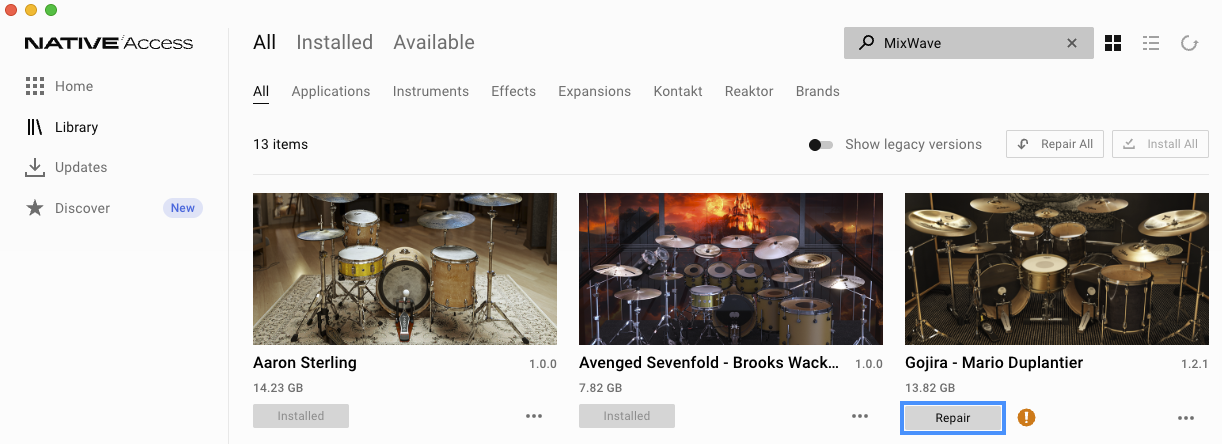
Open Native Access, find your library in the Library tab, and click Repair.
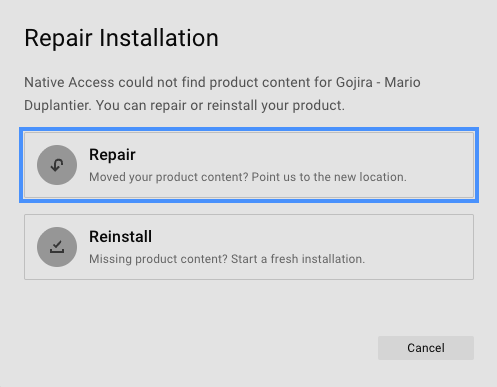
In the Repair Installation prompt, click Repair.
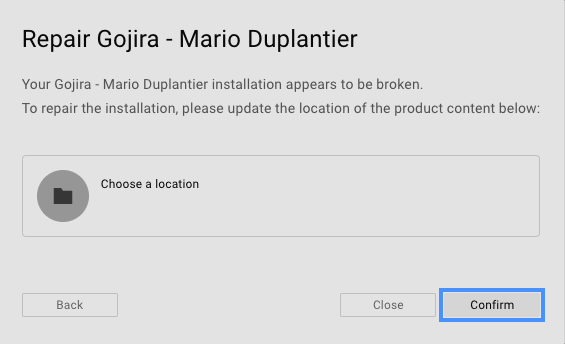
Click Choose a location to select the new location of the library, and click Confirm.
Your MixWave library is now relocated and activated.
Alternatively, you can uninstall your library, change content location settings, and then reinstall the library to the new hard drive.